Start here
Up to 4 players
Up to5 GBRAM · 4 slots
For up to 4 players.
Opening soon
Tell me when it opens
Enshrouded server hosting
An Enshrouded 1.0 server that keeps Embervale running when the host logs off. Pick a difficulty preset or set every slider yourself, give admins, friends and guests their own passwords, and download a backup whenever you like.
Players per server
16
Keen's own limit
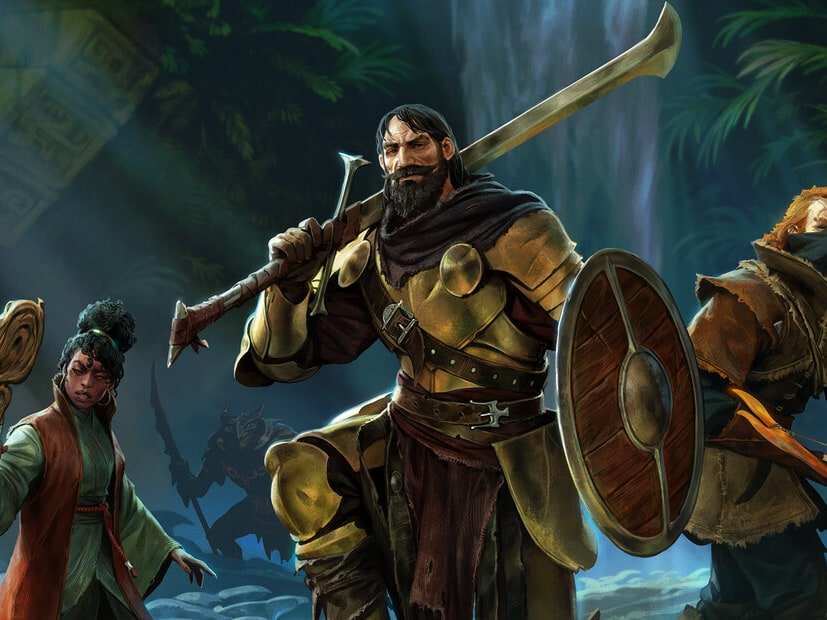
Enshrouded art © Keen Games GmbH. HavoNode isn't affiliated with or endorsed by Keen Games GmbH.
Enshrouded plans
Every plan comes with everything further down this page. What changes is the number of player slots and how much RAM the server can use. Tell us how many of you play and we'll show you where to start.
Start with 8 slots and up to 8 GB for up to 8 players.
Start here
Up to5 GBRAM · 4 slots
For up to 4 players.
Opening soon
Tell me when it opensStart here
Up to8 GBRAM · 8 slots
For up to 8 players.
Opening soon
Tell me when it opensStart here
Up to8 GBRAM · 16 slots
For a full server of up to 16, Enshrouded's limit.
Opening soon
Tell me when it opensEnshrouded servers hold 16 players at most. Keen sets that limit, so it's the same on every plan. Keen's server FAQ puts the server at about 4.4 GB with nobody on, plus up to 100 MB for each player, and says it shouldn't use more than 6 GB in total. Those figures date from before 1.0, so our sizes leave room on top.
These sizes are a guide. Mods, game settings and updates can all change how much RAM a server needs.
We never overload our machines. If your server lags because of our hardware, we fix it at our cost.
Cancel from your account whenever you like. It takes one click, and you won’t have to argue with anyone first.
Automatic daily backups you can restore or download any time. Your world never gets held hostage.
An AI assistant in your Game Panel that reads your server's logs and config files, and changes nothing until you approve it.
Difficulty presets
One line in enshrouded_server.json sets how hard Embervale fights back. Tell us what your group is after and we'll point at the preset to start with.
Default. Keen recommends it for first-time players. Every setting stays at its standard value.
Set it on the gameSettingsPreset line of enshrouded_server.json, with the server stopped. Keen describes what each preset is for but hasn't published the exact values behind it. Difficulty can't change while the server is running, so restart it to switch.
Settings
Everything lives in enshrouded_server.json, in the server's main folder. Stop the server before you edit it, and keep every comma and quote mark where it is.
What your server is called in Enshrouded's server list. Everyone can see it, and Keen asks you to keep it clean.
Settingname
Each user group has its own password and permissions, and the password a player joins with decides their group. Keen's default file has Admin, Friend, Guest and Visitor.
SettinguserGroups
From 1 to 16. Every slot adds to the server's load, so set what your group needs.
SettingslotCount
Keep slots back for a group, so admins and friends can still get in when guests have filled the rest.
SettingreservedSlots
Default, Relaxed, Hard, Survival or Custom. Only Custom lets you change the individual settings.
SettinggameSettingsPreset
Health, stamina, enemy damage, boss health, XP, plant growth, day and night length and more, each within Keen's limits. Day and night are written in nanoseconds, so count the zeros.
SettinggameSettings
By default you drop the materials in your backpack into a tombstone. You can make it the whole backpack, or switch the tombstone off.
SettingtombstoneMode
Text and voice chat are both off in Keen's default file. Voice can be proximity or server-wide.
SettingsenableTextChatenableVoiceChatvoiceChatMode
Joining
Players find your server in Enshrouded's own server list, and the password they type decides what they can do.
In Enshrouded, choose Join from the main menu and switch on the Show dedicated server filter. Pick your server and enter the password for your group.
In Steam, open View, then Game Servers. On the Favorites tab, press + and enter your server's address and query port from the panel. It then sits at the top of Enshrouded's list.
Upload its save files to the server's savegame folder with the server stopped. Characters are saved on each player's own PC, so everyone brings their own.
203.0.113.24:15637
An example address. 15637 is Enshrouded's usual query port; yours is in the panel.
Enshrouded help
Step-by-step answers for running your Enshrouded server, each one checked against the game's own docs.
FAQ
What people ask before they rent a Enshrouded server.
We recommend up to 5 GB for up to 4 players, up to 8 GB for up to 8 players and up to 8 GB for up to 16 players. Our RAM sizes are a guide, based on player count. What a server really uses also depends on its mods and plugins, its settings (map size, view distance and spawn rates all count), how much its world grows over time, and the game's own updates. If you're planning a modded server, start a size up.
Up to 16. Keen sets that limit, and the server's slotCount takes any number from 1 to 16, whichever plan you're on.
Not yet. Keen says Enshrouded isn't cross-platform at launch. They're working on it but have no estimate of when, so for now everyone plays on PC through Steam.
Yes. Characters are saved on each player's own PC, not on the server, so you bring yours to any server. You keep your gear, inventory, levels and skills. Most crafting recipes depend on NPCs and crafting stations in the world, so those stay with the world.
Yes. With the server stopped, upload the world's save files to the server's savegame folder in place of its own world, and download a backup first. Keen hasn't published steps for moving a world onto a server, so our Help Centre walks you through it.
Yes. The first time 1.0 loads an older save, it backs it up and converts it to the new format. Keen strongly suggests a fresh start, because 1.0 reworked the world and the early game. Characters loaded into 1.0 for the first time also get their skill tree reset, so spend the points again.
Give the Admin group your own password, under userGroups in enshrouded_server.json, then restart the server and join with it. Anyone who joins with that password is an admin, so keep it to yourself and give your friends the Friend password.
Not officially. Keen's FAQ says mod support is something they'd like to add one day but can't promise. In the meantime, enshrouded_server.json has more than 30 settings to play with.
No. Keen's FAQ says Enshrouded has no PvP mode and none is planned, so everyone on your server is on the same side.
In London, close to players across the UK and Europe.