Start here
Up to 8 players
Up to10 GBRAM · 8 slots
For up to 8 players. It's the plan for crossplay.
Opening soon
Tell me when it opens
7 Days to Die server hosting
A 7 Days to Die server in London that's there whenever your group logs on, sized by how many of you play. Pick Navezgane or a random world, set the sandbox options, and let console friends in on a crossplay server.
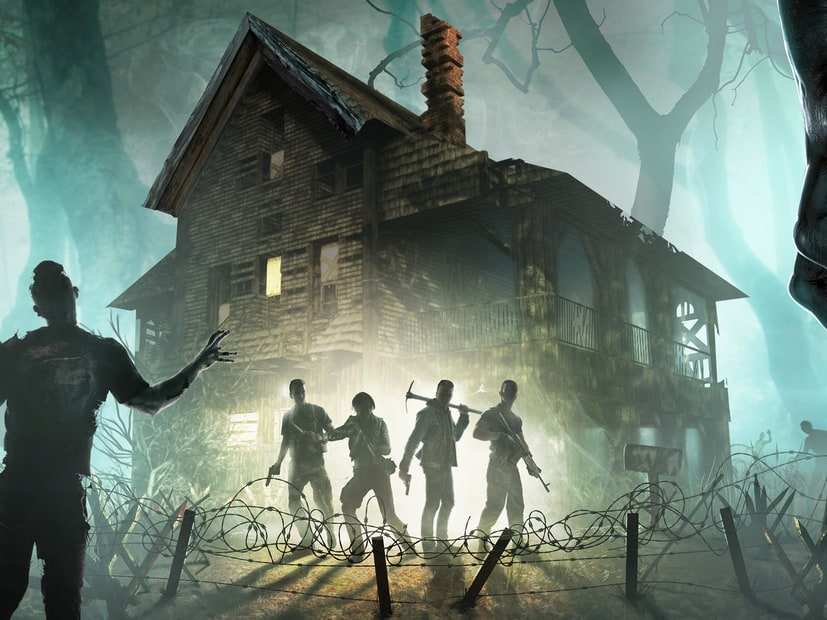
Blood moon
Day 7
Then every 7 days, by default
7 Days to Die art © The Fun Pimps. HavoNode isn't affiliated with or endorsed by The Fun Pimps.
7 Days to Die plans
Every plan comes with everything further down this page. What changes is the number of player slots and how much RAM the server can use. Tell us how many of you play and whether you'll run mods, and we'll show you where to start.
Start with 16 slots and up to 12 GB for up to 16 players.
Start here
Up to10 GBRAM · 8 slots
For up to 8 players. It's the plan for crossplay.
Opening soon
Tell me when it opensStart here
Up to12 GBRAM · 16 slots
For up to 16 players, or up to 8 with mods.
Opening soon
Tell me when it opensStart here
Up to16 GBRAM · 30 slots
For up to 30 players, or up to 16 with mods.
Opening soon
Tell me when it opensConsole players can only join a server set to 8 players or fewer, with no mods and a world no bigger than 8192, so crossplay suits the first plan. Bigger worlds, more zombies and overhaul mods all need more memory.
These sizes are a guide. Mods, game settings and updates can all change how much RAM a server needs.
We never overload our machines. If your server lags because of our hardware, we fix it at our cost.
Cancel from your account whenever you like. It takes one click, and you won’t have to argue with anyone first.
Automatic daily backups you can restore or download any time. Your world never gets held hostage.
An AI assistant in your Game Panel that reads your server's logs and config files, and changes nothing until you approve it.
Horde night
Three sandbox options decide when the blood moon horde arrives and how long it lasts. Move them and see what that means in real time.
The horde runs from 22:00 to 04:00 in game, on day 7.
Read these as hours of play. Players report that the in-game clock stops while a server is empty, so a horde doesn't creep up on a server nobody's on.
Open it as a full toolCrossplay
PS5 and Xbox Series players can join PC servers, but only when the server meets The Fun Pimps' rules. Switch to console and see what has to change.
CrossplayServerAllowCrossplay | Off |
|---|---|
Easy Anti-CheatEACEnabled | Your choice |
Player limitServerMaxPlayerCount | Any |
ModsMods folder | Allowed |
World sizeWorldGenSize | Up to 10240 |
RegionRegion | Any |
In serverconfig.xmlServerAllowCrossplay = false
Rules from The Fun Pimps' release notes. Console players see crossplay servers for their own region, and the server must be on the same game version as consoles, so stay on the stable branch.
Mods
You have full access to your server's files, so you can add mods yourself. 7 Days to Die has two kinds, and they behave very differently.
Any mod, even a single modlet, stops console players joining. Overhauls often lag behind the newest game version, so check which version yours needs before you update.
Settings
Most settings live in serverconfig.xml, which you can edit from the panel. Difficulty, day length and loot are sandbox options now, carried in one code.
Navezgane is the hand-made map, 6144 across. Set a random world with a seed and a size of 6144, 8192 or 10240 instead, and it's generated on first start.
SettingsGameWorldWorldGenSeedWorldGenSize
Difficulty, day length, blood moons, loot and XP are set in game under Sandbox Options, then copied into the server as one code. Codes from before V3.1 may not carry over cleanly.
SettingSandboxCode
8 by default. Keep it at 8 or fewer if console players are joining.
SettingServerMaxPlayerCount
64 zombies across the whole world by default, with more on blood moons. The game's own notes say it has a huge impact on performance.
SettingMaxSpawnedZombies
6 to 12, and 12 by default. The game's notes flag it as high impact on memory and performance.
SettingServerMaxAllowedViewDistance
Each player gets 5 land claim blocks by default, each protecting a 41-block area around their base.
SettingsLandClaimCountLandClaimSize
0 is no killing, 1 allies only, 2 strangers only, and 3 (the default) is everyone.
SettingPlayerKillingMode
Make yourself admin with the admin add command in the console, or in serveradmin.xml in the save folder. The web dashboard is off until you switch it on.
Settingsserveradmin.xmlWebDashboardEnabled
Joining
PC players connect by address. Console players find crossplay servers in the browser.
In 7 Days to Die, open Join a Game and choose Connect to IP. Enter your server's address and port from the panel; 26900 is the usual port.
PS5 and Xbox Series players find crossplay servers in the in-game server browser. The server needs crossplay switched on and the five rules above met.
Everyone needs the same game version as the server. If you've held the server on an older version for an overhaul, players switch their game to that version too.
203.0.113.24:26900
An example address. 26900 is 7 Days to Die's usual port; yours is in the panel.
7 Days to Die help
Step-by-step answers for running your 7 Days to Die server, each one checked against the game's own docs.
FAQ
What people ask before they rent a 7 Days to Die server.
We recommend up to 10 GB for up to 8 players, up to 12 GB for up to 16 players and up to 16 GB for up to 30 players. Our RAM sizes are a guide, based on player count. What a server really uses also depends on its mods and plugins, its settings (map size, view distance and spawn rates all count), how much its world grows over time, and the game's own updates. If you're planning a modded server, start a size up.
Yes, PS5 and Xbox Series players can, if the server allows crossplay, has Easy Anti-Cheat on, is set to 8 players or fewer, runs no mods (modlets included) and uses a world of 8192 or smaller.
Every seventh day by default, from 22:00 to 04:00 in game with the default 18 hours of daylight. At the default 60-minute days that's 7 hours of play between hordes, and each horde lasts 15 real minutes.
Version 3.0 moved them, along with difficulty, loot and XP, into sandbox options. Set them in game under Sandbox Options, copy the code and paste it into SandboxCode in serverconfig.xml. The old settings no longer do anything.
Yes, you can upload any mod to your server's files. Most overhauls need Easy Anti-Cheat off on the server and on every player's game, and each is built for particular game versions, so check before you update.
Navezgane is the hand-made map, 6144 across. A random world is generated from a seed at 6144, 8192 or 10240 on first start. Bigger worlds take longer to generate and need more memory, and console crossplay stops at 8192.
Use admin add with your name or ID and a permission level in the server console (0 is the highest), or add yourself to serveradmin.xml in the save folder.
No. It left Early Access with version 1.0 in July 2024, and it's now on version 3, with 3.3 released on 5 October 2026.
In London, close to players across the UK and Europe.